01
Encrypted local vault
Hosts, keys, and notes sealed in an on-device SQLite vault — Argon2id key derivation, XChaCha20-Poly1305 item encryption, one master password.
00m · surface
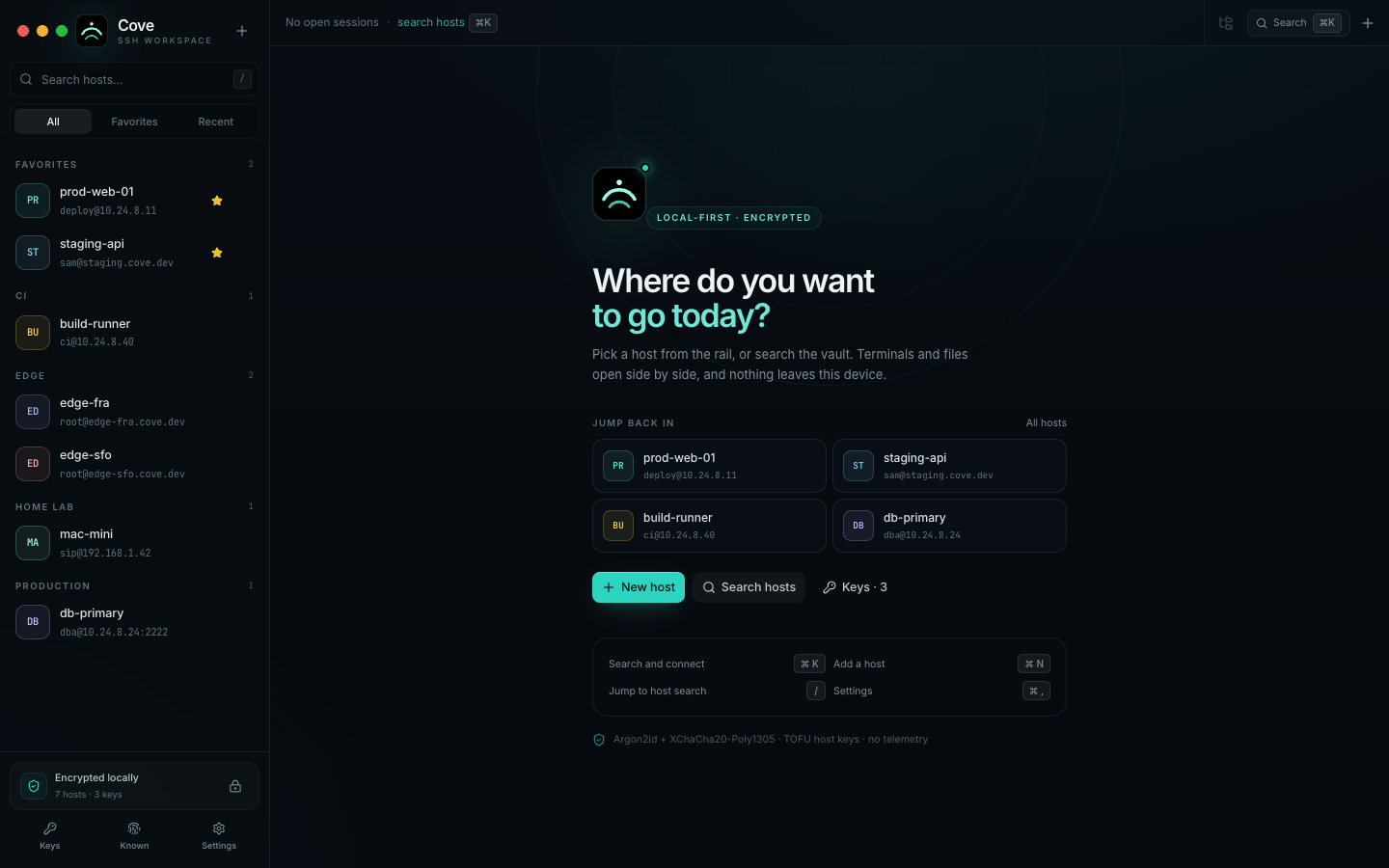
Free download · no account neededCove is a local-first SSH & SFTP workspace for macOS, Windows, iOS, and Android. Hosts, private keys, and notes live in an encrypted vault on your device — a real terminal, a real file browser, and no account required.
macOS 11+ · Apple Silicon · Intel build · Windows 10+ · Android & iOS coming soon
−40m · the reef
Everything in v1 is finished, local, and working — not a roadmap. Eight years of SSH muscle memory, packed into one calm app.
Hosts, keys, and notes sealed in an on-device SQLite vault — Argon2id key derivation, XChaCha20-Poly1305 item encryption, one master password.
Groups, tags, favorites, recents, and search. Duplicate hosts, quick-connect from the rail, or jump anywhere with the ⌘K palette.
Generate Ed25519 keys or import OpenSSH/PEM with optional passphrases. Copy public keys straight into authorized_keys.
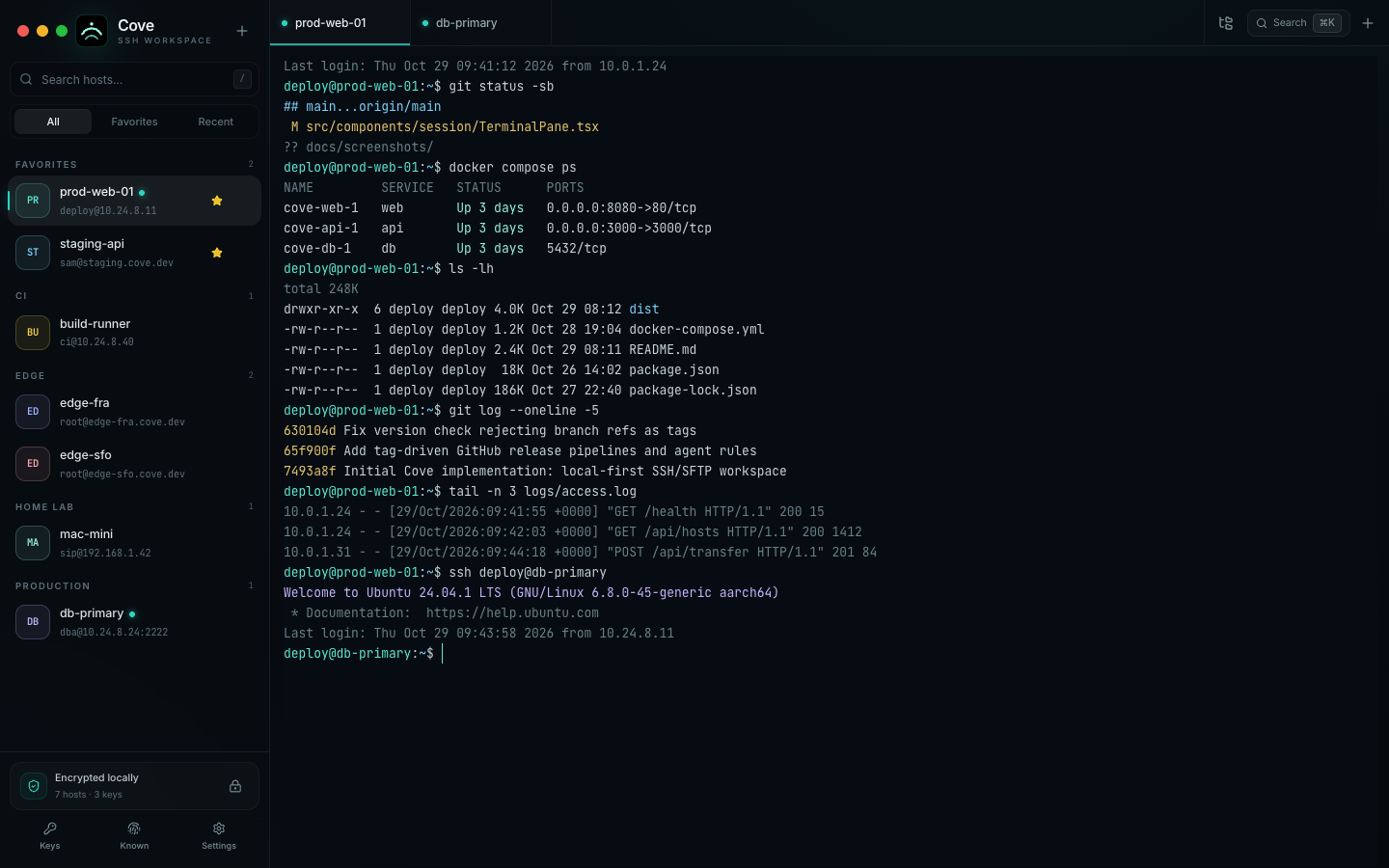
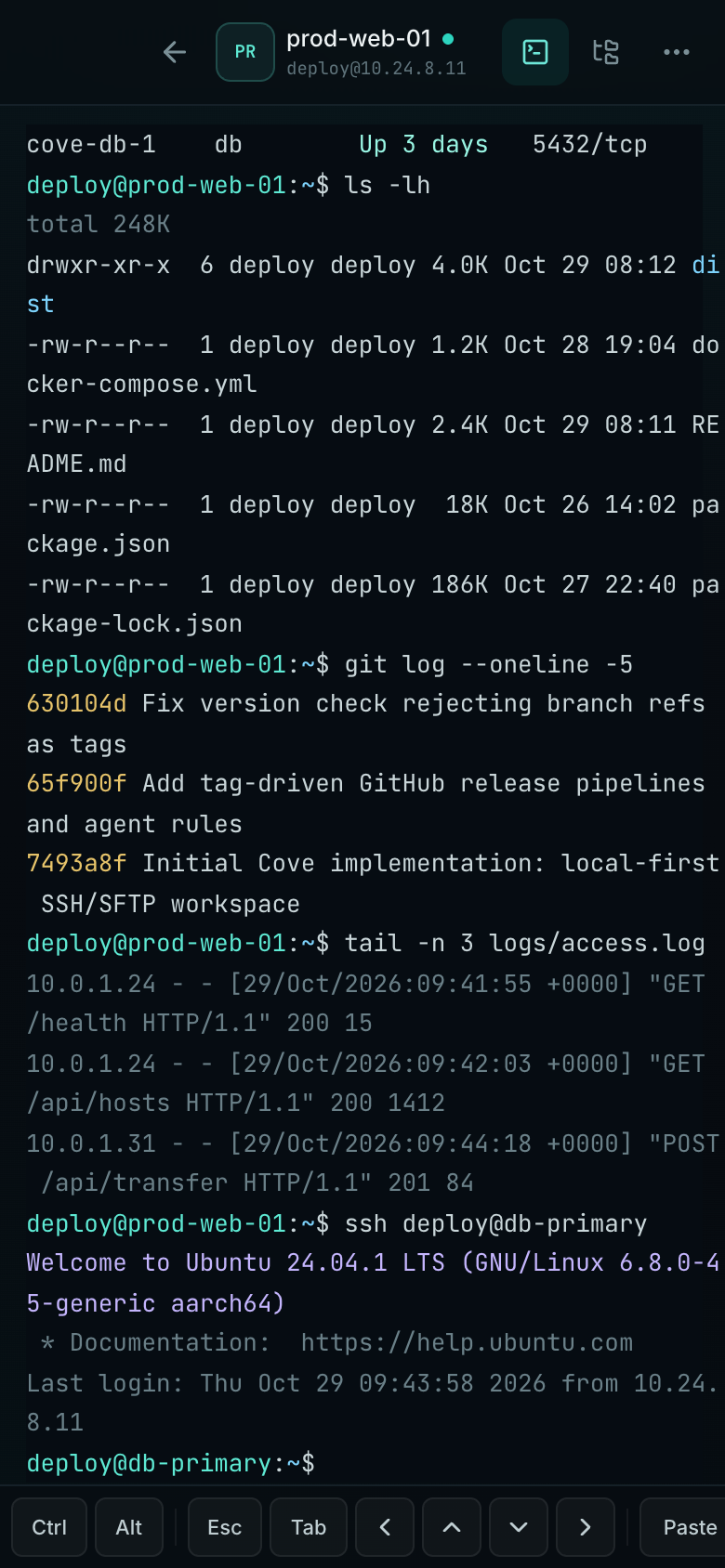
russh PTY sessions rendered in xterm.js with WebGL — multiple tabs, scrollback, ⌘F search, copy/paste, and one-click reconnect.
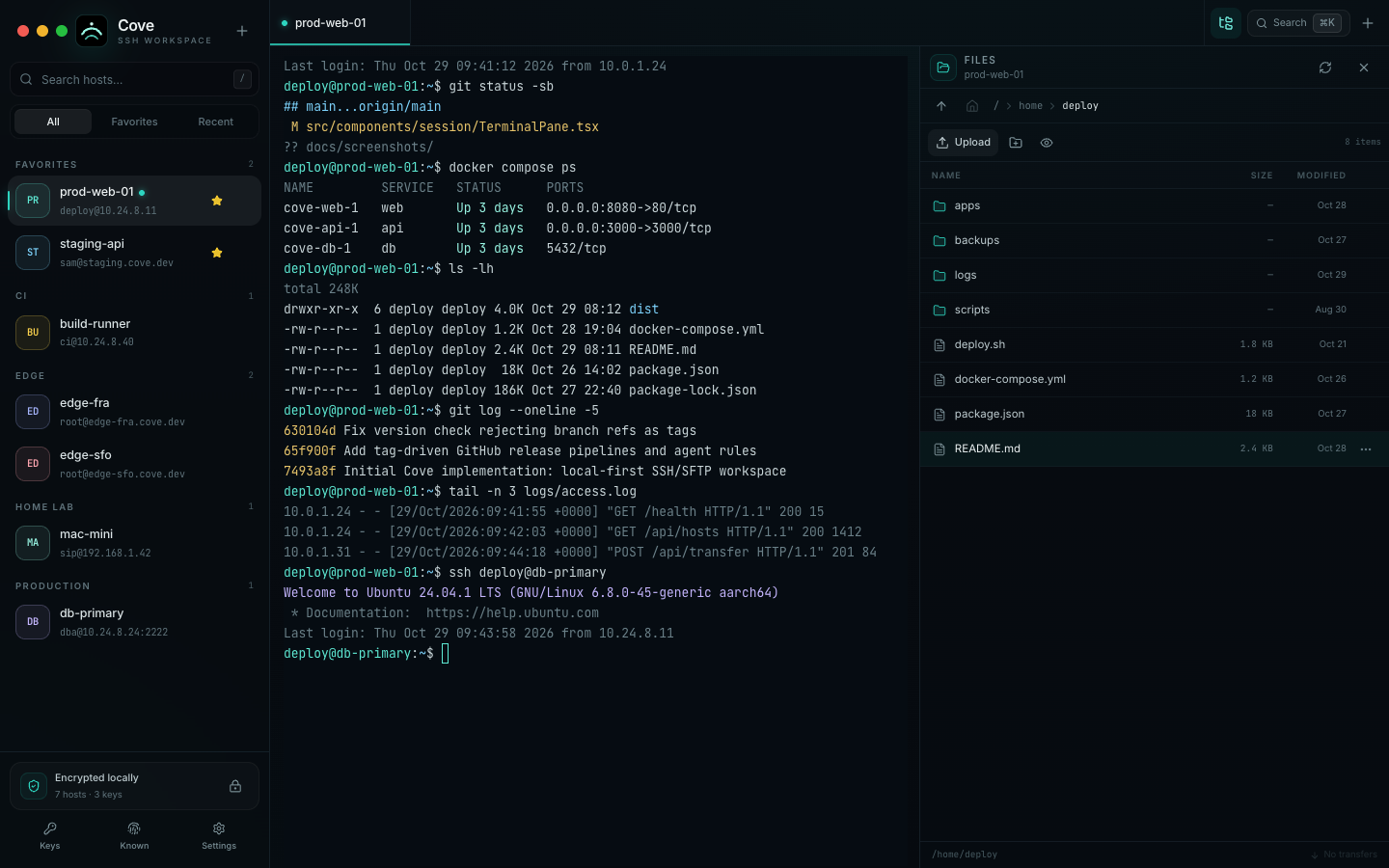
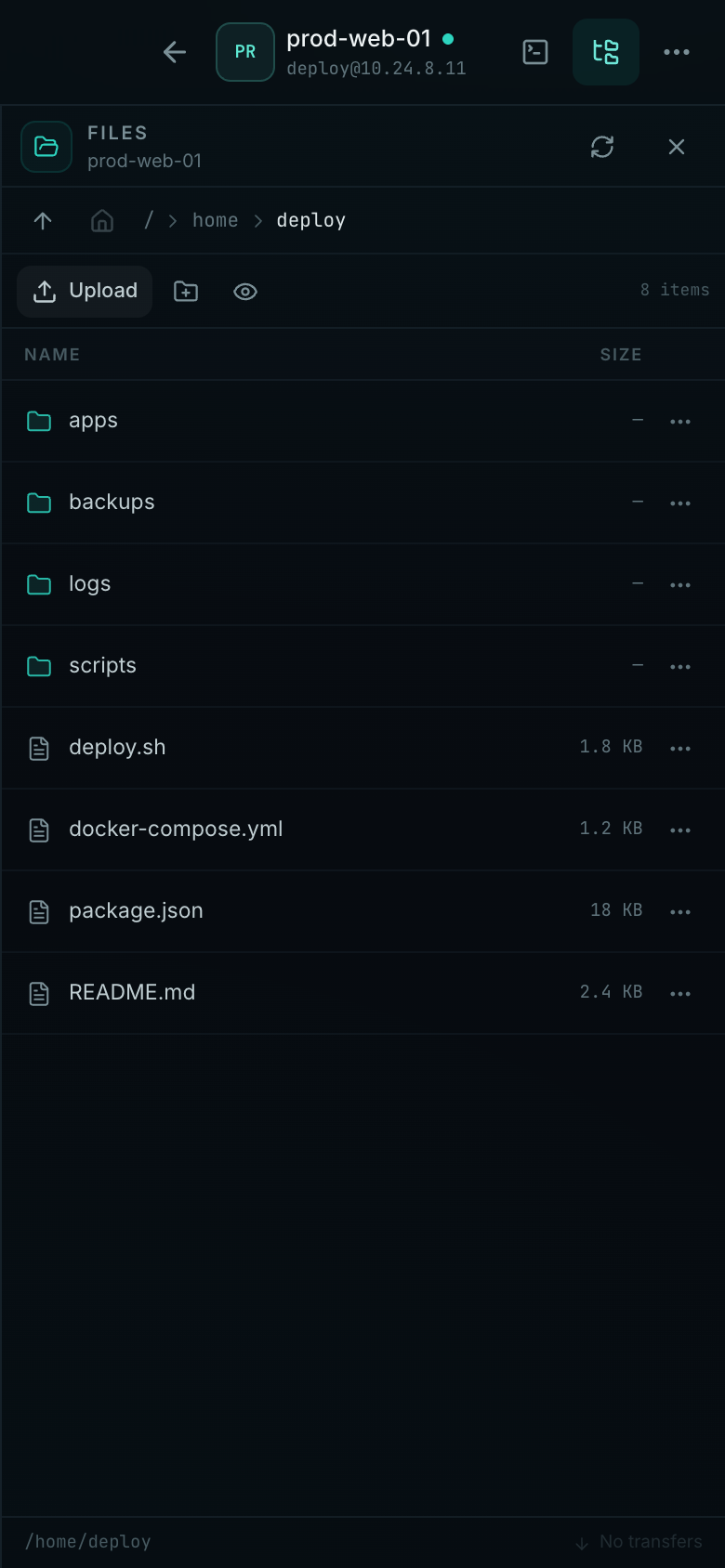
Browse, upload, download, rename, and preview files over the same connection. Drag-and-drop uploads with a cancellable transfer queue.
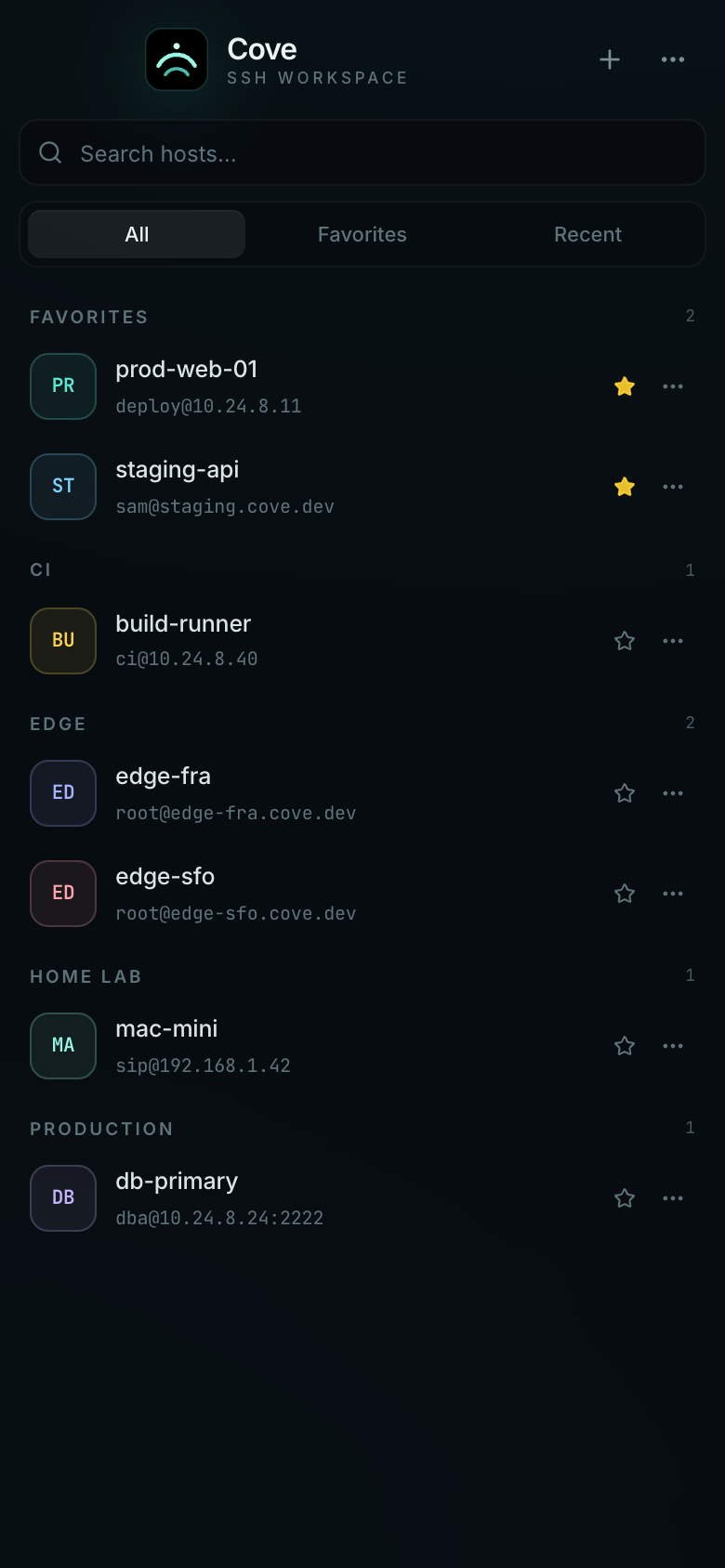
A desktop rail with split terminal/files, or full-screen sessions on phones with a Ctrl/Alt/Esc/Tab/arrow accessory bar.
Inactivity auto-lock, clipboard-only secret entry when a password isn't stored, and a first-run security briefing.
Export an encrypted .covebak snapshot and restore it anywhere. A typed-ERASE reset starts fresh. No plaintext export, ever.
−160m · the shelf
The terminal and the file browser share a single SSH session. Start a shell, dock SFTP beside it, and drag a file up while a deploy script runs — no second connection, no extra handshake.
−480m · the grotto
Ten more windows from the app — the same build you download, captured with a demo vault. No live credentials, no hostnames, no staging. Tap any screen to view it full-size.
−1,200m · midnight zone
Losing the database file does not expose credentials — and no one, including us, can recover a lost master password. That is the deal the vault makes with you, stated on first run.
$ cove vault inspect
key derivationArgon2id · 64 MiB · 3 iters
vault key32 random bytes · wrapped XChaCha20-Poly1305
per itemfresh 24-byte nonce · record id as AAD
sqlite seesciphertext + ids + timestamps
private keysgenerated in Rust · never cross IPC
host keysTOFU · changed keys rejected
lockclears vault key · drops all connections
recoverynone · keep an offline backup
Back up the vault with an encrypted .covebak snapshot — it opens only with the master password that created it, and a pre-import copy of the current vault is always kept on disk. If the password is ever lost, a typed-ERASE reset clears the vault and keychain and starts over. There is no plaintext export — the sea keeps its secrets.
−6,100m · the hadal zone
The whole cove is headed to phones — Android and iOS are coming soon. The same webview UI and the same Rust core will run there, with the vault staying local: the master password is simply asked at every cold start, since there is no secure-storage plugin on mobile yet.
−8,210m · the trench
At home, Cove costs nothing. At work, a one-time license covers commercial use — no subscription, no seat games, no cloud to phone.
founder price · one-time
$3.9one-time
Locked forever. The price rises as Cove leaves beta — early licenses keep their price.
Cove is free for personal, educational, and non-profit use — every feature. Working with it? A license keeps development going.
Can I use Cove at work? Yes — that is exactly what the license covers. One license per user, on up to 3 devices.
Is it a subscription? No. It is a one-time payment, and the license stays valid forever — free updates included.
Refunds? Within 7 days of purchase, no questions asked — email sipamungkas.dev@gmail.com. The full flow is on the refund policy page.
The full terms live in the Cove License Agreement· changed your mind? Refund policy

−10,911m · challenger deep
Direct downloads, straight from the CrabNebula CDN — no account, no store, no waiting. Android and iOS are on their way.
macOS isn't notarized yet, so Gatekeeper stops the very first launch — it's a one-time 30-second allowance. Seethe first-launch guide. Every download always serves the latest published version.
+10,911m · the ascent
Cove isn't notarized with an Apple Developer signature yet, so Gatekeeper stops the very first launch. That is a generic gate for unsigned apps — not a malware finding. Here is the 30-second way through.
Open the downloaded DMG and drag Cove into Applications. The first double-click is stopped by Gatekeeper — dismiss the dialog it shows; there is nothing to confirm in it yet.
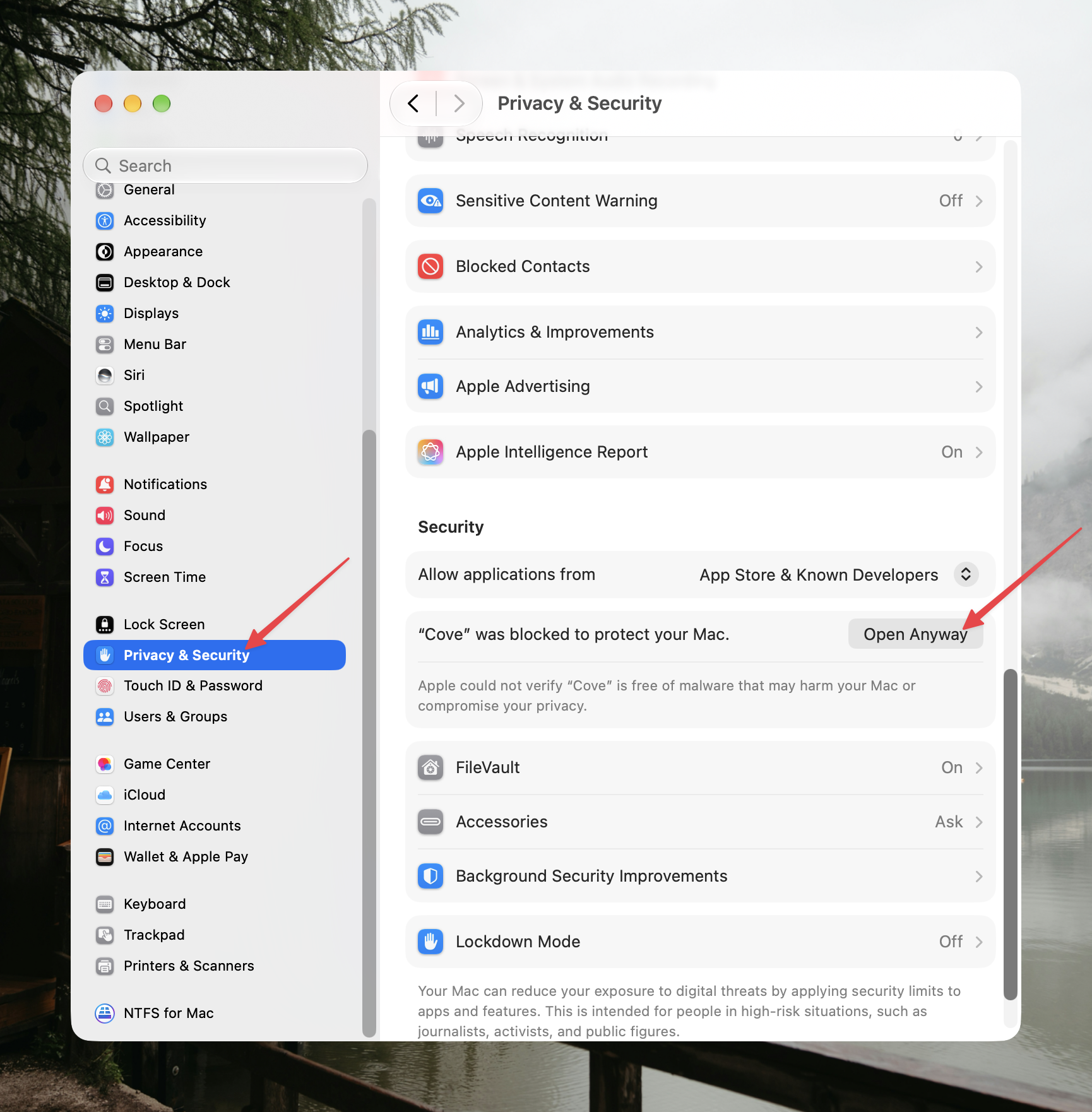
Go to System Settings → Privacy & Security and scroll to the Security section. Under “Allow applications from”, macOS notes that “Cove” was blocked — click Open Anyway.
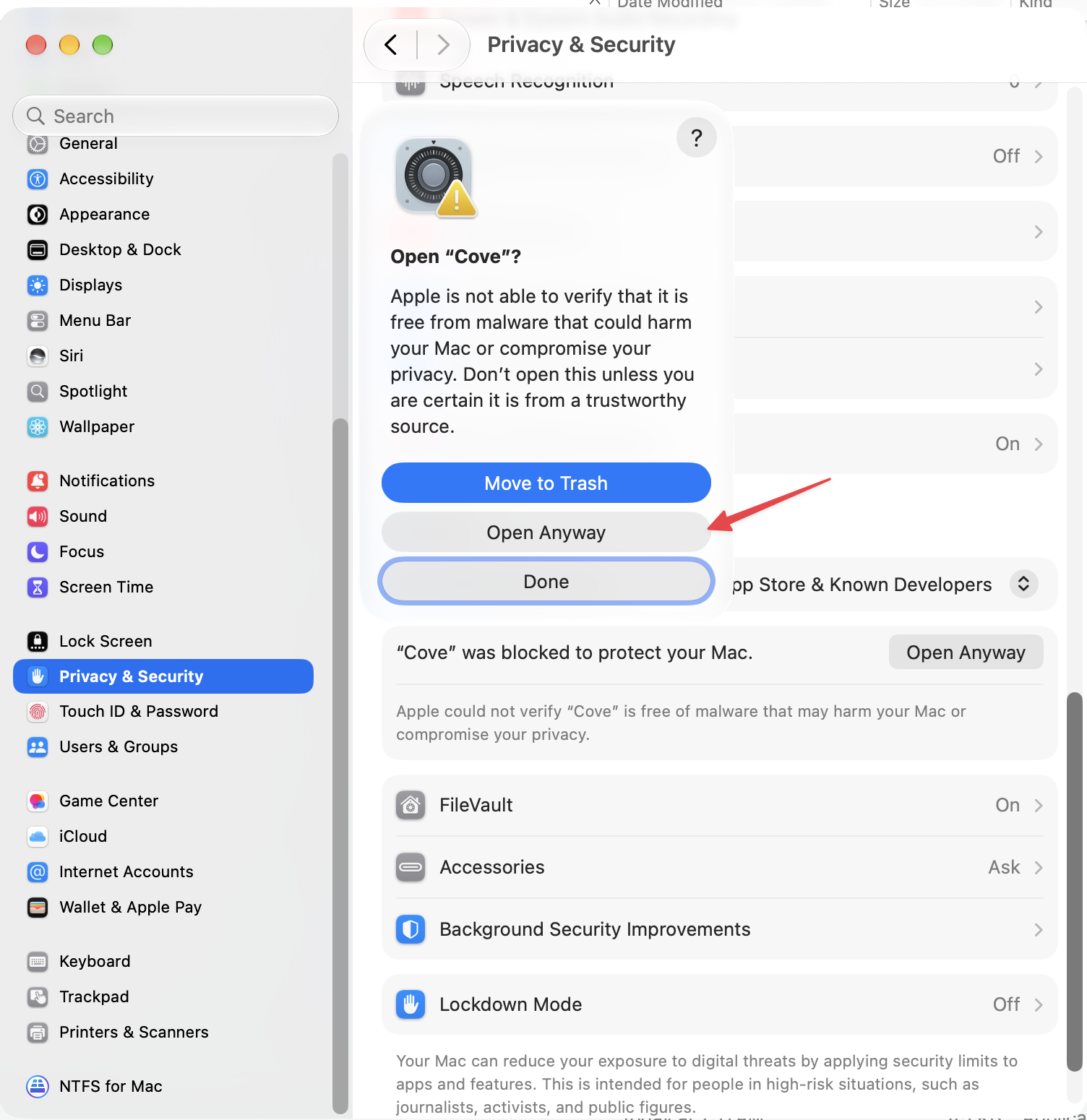
Authenticate with Touch ID or your login password, then click Open Anyway in the Open “Cove”? sheet. Cove starts, and macOS remembers the decision: the warning never appears again.
On macOS 15+ the old right-click → Open shortcut no longer bypasses Gatekeeper. Terminal users can skip the dialogs by clearing the download quarantine flag instead — only for apps from a source you trust:
xattr -dr com.apple.quarantine /Applications/Cove.appUpdating later? Drag the new DMG over the old app — the vault and its data live separately and survive every update untouched.
More detail — picking your build, updating, uninstalling — lives in thefull macOS install guide.